
Everyday Gadgets, Explained: The Complete Overview from Kitchen to Commute

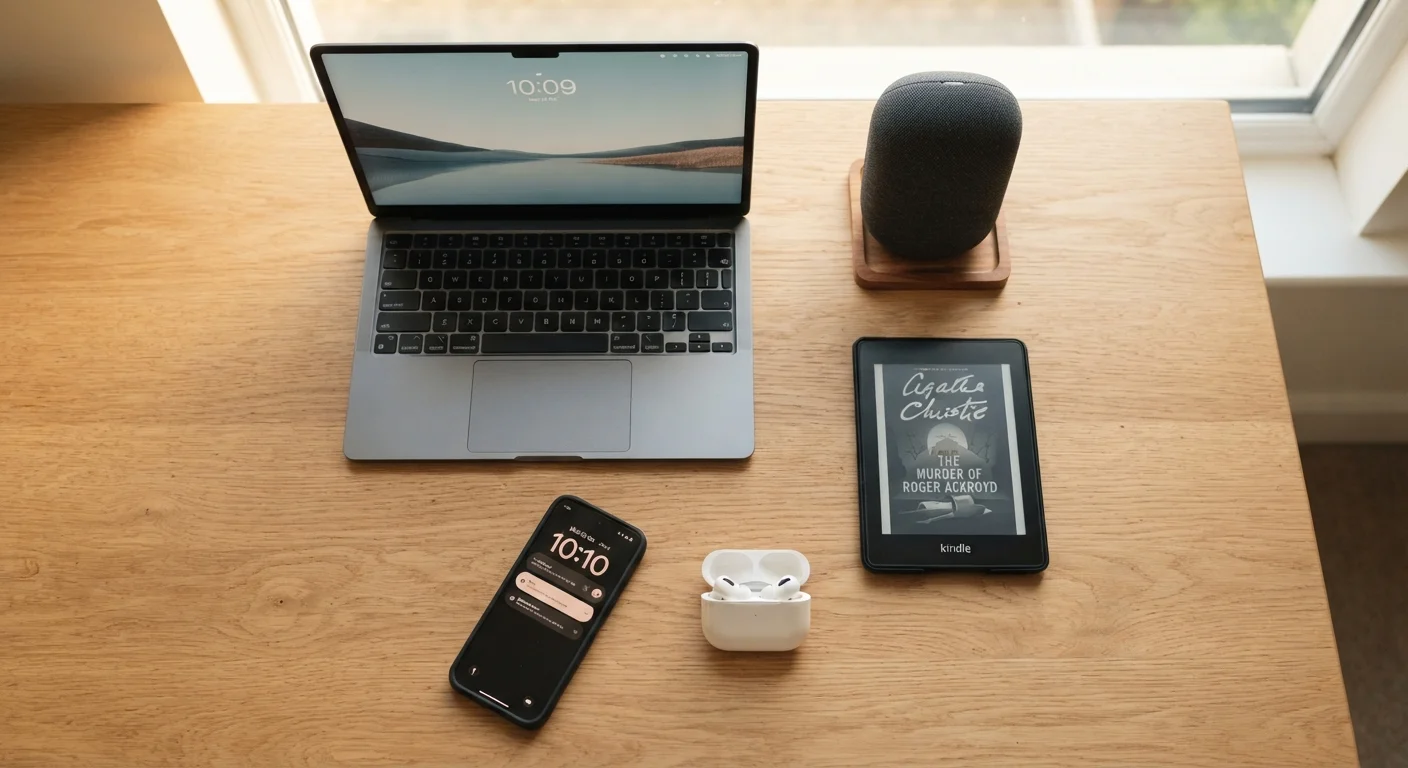
Photo: faqsvault.com editorial
Key Takeaways
- Everyday gadgets are most valuable when they solve a specific, recurring problem in your routine.
- Kitchen, commute, and home devices often work better as a connected ecosystem than in isolation.
- Understanding a few core concepts — Wi-Fi, Bluetooth, USB-C — unlocks most everyday tech.
- Many gadgets that appear broken can be fixed without replacement using basic troubleshooting.
- Adding smart home technology is best done incrementally, starting with one clear use case.
- The right gadget for you depends on your actual habits, not on what is trending.
What Makes a Gadget Actually Useful?
The word "gadget" covers an enormous range of devices — from a simple digital kitchen timer to a voice-controlled smart speaker. What separates genuinely useful tech from forgotten clutter is straightforward: a useful gadget reduces friction in something you do regularly. It either saves meaningful time, lowers mental load, or makes a task more reliable.
Non-technical users are often told to evaluate gadgets by specification sheets — processor speeds, megapixels, battery milliampere-hours (mAh, a measure of how much charge a battery can hold). But for everyday life, the more useful questions are: Does this solve a real problem I have? and Will I actually use it? For a plain-language breakdown of the technical terms you'll encounter, see the Everyday Gadget Glossary.
This guide walks through the most common categories of everyday gadgets — kitchen, commute, and home — explaining what each type does, how they interact, and how to decide what genuinely adds value to your life.
Kitchen Gadgets: Where Tech Meets Meal Time
The kitchen is one of the most gadget-dense spaces in most homes, and for good reason: cooking involves repetitive, time-sensitive tasks where small improvements compound quickly. The key categories worth understanding include:
- Smart scales and timers: Digital kitchen scales that connect to a smartphone app can guide portion sizing and track nutritional information automatically. Paired with a good pantry setup — see our related guide on stocking a kitchen for nutritious everyday cooking — they reduce guesswork significantly.
- Countertop multi-cookers: Devices that combine pressure cooking, slow cooking, and sautéing in one pot reduce both appliance clutter and active cooking time. They operate on simple programmable controls rather than complex interfaces.
- Smart displays in the kitchen: A small touchscreen device on the counter can display recipe steps hands-free, set multiple timers simultaneously, and answer quick questions without requiring you to handle your phone with messy hands.
The common thread in genuinely useful kitchen tech is that it removes a decision or a manual step — not that it adds a feature you'll rarely use.
When evaluating a new kitchen gadget, test it against one specific weekly task you find tedious — not a range of hypothetical uses. If it doesn't simplify that one task, it won't earn counter space.
For commute tech, prioritize battery life and weight over feature count. A device that lasts your full travel day and fits in a jacket pocket will serve you better than a feature-rich one you leave at home.
Before expanding your smart home setup, confirm that any new device works on your existing Wi-Fi standard and doesn't require a separate hub. Mismatched ecosystems are the leading source of smart home frustration.
Commute and On-the-Go Tech
The daily commute — whether by car, train, or foot — has become one of the clearest showcases for practical gadget value. Three categories stand out:
- Wireless earbuds: Using Bluetooth (a short-range wireless standard) to connect to your phone, modern earbuds handle calls, podcasts, and music without cables. Active noise cancellation, found in many models, uses microphones and audio processing to reduce ambient sound — useful on loud trains or busy streets.
- Portable chargers (power banks): Measured in mAh, a power bank stores electrical charge you can transfer to a phone or tablet via a cable. A 10,000 mAh power bank can typically charge a modern smartphone roughly twice over. USB-C, now the most common charging connector, supports faster charging speeds than older standards.
- E-readers: Lightweight and with battery life measured in weeks rather than hours, e-readers are purpose-built for reading. They go well beyond simple book storage — for a fuller picture, see E-Readers in Everyday Life.
For commuters, the most practical combination is usually a reliable phone, a pair of earbuds, and a power bank — three devices that cover the majority of on-the-go needs without adding significant weight.
Home and Connectivity Gadgets
At home, gadgets increasingly connect to each other and to the internet — a setup often called a smart home ecosystem. Understanding a few fundamentals helps demystify this category:
- Wi-Fi routers and mesh systems: Your router is the gateway for all internet-connected devices at home. A mesh Wi-Fi system uses multiple units placed around the home to eliminate weak signal areas, which is particularly relevant as more devices — thermostats, bulbs, cameras — go online.
- Smart speakers and displays: These devices respond to voice commands to play music, set reminders, control compatible smart home devices, and answer general questions. They function as a central control point for an expanding ecosystem.
- Smart plugs: One of the lowest-effort entry points into smart home technology, a smart plug fits into any standard outlet and makes any lamp or appliance schedulable and remotely controllable via an app.
If you're considering your first smart home device, it's worth being deliberate about where you start. Our guide on your first smart home device walks through the decision without the jargon. For broader guidance on managing multiple connected devices, managing your digital life across multiple devices is a practical starting point.
How Your Gadgets Work Together
Modern gadgets are increasingly designed to share data and functions across devices — your phone syncs your calendar to your smartwatch, your smart speaker reads your shopping list, and your laptop picks up where your tablet left off. This interconnection is generally described as an ecosystem.
Most ecosystems are built around one of a few major platform families, and devices within the same family tend to cooperate more smoothly. That said, many gadgets use open standards — Bluetooth, Wi-Fi, and USB-C — that allow cross-platform compatibility. Understanding which standard a device uses tells you a great deal about how it will integrate with what you already own.
Looking further ahead, emerging concepts like digital twins — virtual models of real-world devices — are beginning to move from industrial settings toward consumer applications. For context on where this is heading, Digital Twins: The Industrial Concept Now Entering the Home provides an accessible overview.
For everyday users, the practical takeaway is this: before adding a new gadget, check whether it uses the same connectivity standards and platform as your existing devices. Compatibility reduces setup frustration and increases the chance you'll actually use what you buy.
When a Gadget Stops Working
A device that behaves unexpectedly — won't charge, won't connect, won't turn on — is not automatically broken beyond use. A significant proportion of gadget issues are resolved by steps that don't require technical expertise:
- Restart the device. Powering a device fully off and on again clears temporary software errors that accumulate during normal use.
- Check for a firmware update. Firmware is the internal software that controls how a device operates. Manufacturers release updates that fix known bugs; an unupdated device may have a resolved issue that simply hasn't been applied yet.
- Reset to factory settings. This returns a device to its original configuration, which resolves many persistent software-layer problems — though it erases saved settings.
- Check the cable and power source. Many apparent device failures are cable or adapter failures. Testing with a different cable is a quick and free diagnostic step.
Before discarding a device, it's worth working through a structured checklist. Before You Bin a Broken Gadget provides exactly that, covering the most common failure scenarios step by step.
Choosing Gadgets That Genuinely Add Value
The most reliable framework for evaluating any gadget is habit-first thinking: start with what you actually do every day, identify the moments of friction or inefficiency, and then consider whether a device specifically addresses that friction. This is the opposite of technology-first thinking, where a device is purchased because it seems impressive and a use case is invented afterward.
A few practical principles that hold across gadget categories:
- Solve before you explore. Gadgets that address an existing pain point get used. Gadgets bought out of curiosity often don't.
- Simpler setups are more durable. A device requiring a complex multi-app setup to function is more likely to be abandoned when one element breaks or changes.
- Consider maintenance cost. Some gadgets require ongoing subscription fees, proprietary accessories, or regular firmware management. Factor these into the real cost of ownership.
For readers building out daily routines that incorporate technology thoughtfully, the Digital Life Tips hub and the Daily Habits hub offer complementary perspectives on integrating tech without letting it dominate your time or attention.
Ultimately, the gadgets that earn their place in daily life are the ones that quietly do their job — reducing friction, not adding it.
All published content on this website is for informational and educational purposes only and should not be taken as professional advice. We recommend that readers seek expert opinion before making any decisions. The website is not responsible for any actions taken based on the information provided on this website. We are not liable for any inaccuracies, modifications, or omissions in information. Moreover, external links or third-party content are provided for convenience; we are not liable for their correctness. Users are advised to verify every piece of information before they use it for any purpose.