
Before You Click 'Allow': Understanding App Permissions on Your Device

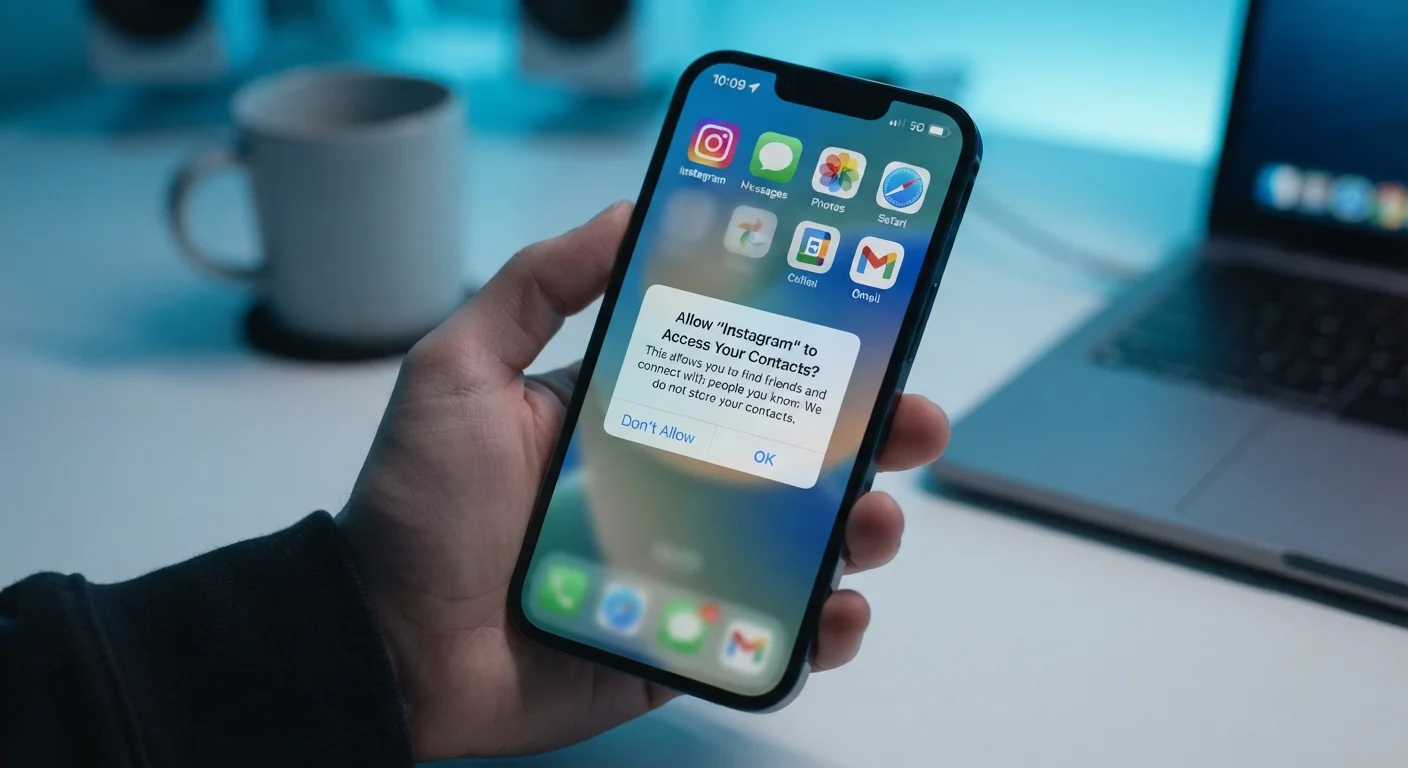
Photo: faqsvault.com editorial
What App Permissions Actually Are
When you install an app and launch it for the first time, a dialog box often appears asking whether the app can access something on your device — your location, your camera, your contacts. That prompt is a permission request, and it represents a gatekeeping layer built into modern mobile operating systems.
Both Android and iOS use a permission model that requires apps to explicitly ask before accessing sensitive hardware or data. The idea is straightforward: rather than granting every installed app unrestricted access to your device, the operating system forces apps to justify their needs, and puts you in the role of approving or denying those requests.
What many users don't realize is that tapping "Allow" isn't just a one-time event. In most cases, that choice persists until you actively change it in your device settings. An app you granted microphone access to a year ago still has that access today — unless you revoked it.
| Who controls permissions | The device's operating system (iOS or Android), not the app itself |
| Can permissions be revoked | Yes — at any time via device Settings |
| Android Privacy Dashboard available since | Android 12 (released 2021) |
| Most sensitive permission categories | Location, microphone, camera, contacts, health data |
| Granular photo access introduced | iOS 14 (limited Photos), Android 13 (photo/video picker) |
| Default recommendation for location access | "While Using" rather than "Always" for most apps |
Understanding the permission system is a foundational step toward safer everyday technology use. As explored in our piece on digital privacy in a connected world, the data apps collect often extends well beyond what users expect.
The Most Common Permissions — and What They Enable
Not all permissions carry the same weight. Some enable core features; others are far more sensitive than they appear at first glance. Here's what the most frequently requested permissions actually do:
- Location: Provides the app with your geographic coordinates. "While using" grants access only when the app is open; "Always" means it can track you in the background. Precise location pinpoints you on a map; approximate location gives a broader area.
- Camera: Lets the app open your camera hardware and capture photos or video. Necessary for photography, video calls, and QR scanning — but a camera-enabled app that has no obvious need for it warrants scrutiny.
- Microphone: Enables audio capture. Legitimate uses include voice search, calls, and dictation. A shopping or game app requesting microphone access without a clear functional reason deserves a second look.
- Contacts: Grants read (and sometimes write) access to your entire address book — names, phone numbers, emails, and more. This data is often used to populate friend suggestions or enable messaging features, but it also represents a large set of other people's private information.
- Photos / Media: Allows the app to view or save images and files on your device. On newer OS versions, you can often grant access to specific photos rather than your entire library.
- Notifications: Permits the app to send you alerts. While not a data-access permission per se, poorly managed notifications are a real usability issue — our article on notification settings covers this in depth.
- Bluetooth: Enables connection to nearby devices. Increasingly requested by retail and tracking apps, not just hardware peripherals.
- Health & Motion: Accesses step counts, heart rate data, or accelerometer readings. Highly sensitive data that warrants careful consideration.
App Permission
An explicit authorization that a user grants allowing an app to access a specific feature or data on their device, such as the camera, location, or contacts. Permissions are managed by the device's operating system and can typically be revoked at any time.
Permission Model
The system built into modern mobile operating systems that requires apps to request access to sensitive resources rather than receiving it automatically. It gives users control over what each app can and cannot access.
Background Access
When an app is permitted to use a resource — such as your location or microphone — even while it is not actively open on screen. Background access can occur without visible indication to the user.
Precise vs. Approximate Location
Precise location pinpoints a device's exact coordinates using GPS and other signals. Approximate location provides only a general area, typically accurate to within a few miles. Many apps function adequately with approximate location alone.
Privacy Dashboard
A feature available on Android 12 and later that displays a timeline showing which apps accessed sensitive permissions — such as location, camera, and microphone — and when. It helps users spot unexpected or excessive data access.
Runtime Permission
A permission that an app requests at the moment it needs access to a resource, rather than during installation. Runtime permissions allow users to make context-aware decisions about what they're granting and why.
How to Review and Manage Permissions You've Already Granted
Most people set permissions once and never revisit them. The good news is that both major mobile platforms make it relatively easy to audit what you've granted.
On iPhone (iOS)
Go to Settings → Privacy & Security. From there, you can browse by permission type (e.g., Location Services, Microphone, Camera) and see every app that has ever requested that permission, along with its current status. You can also go to a specific app under Settings → to view all permissions for that single app in one place.
On Android
Go to Settings → Apps, then select an app and tap Permissions. Alternatively, navigate to Settings → Privacy → Permission Manager to browse by permission type across all apps. Android also offers a Privacy Dashboard (Android 12 and later) that shows a timeline of recent permission usage — useful for spotting unexpected background access.
A practical review approach
- Start with the most sensitive categories: location, microphone, camera, and contacts.
- For each app listed, ask: does this app need this access to perform its main function?
- Revoke any permission that doesn't have a clear, logical justification.
- Where available, switch location access from "Always" to "While Using" as a default.
This habit pairs naturally with a broader privacy review — the kind outlined in our annual privacy checkup guide.
Practical Principles for Smarter Permission Decisions
Reviewing past grants is only half the equation. Building better habits around future permission requests matters just as much.
Apply the "need-to-know" test. Before tapping Allow, ask whether the feature you're trying to use genuinely requires that specific permission. A flashlight app has no functional reason to access your contacts. A recipe app rarely needs your precise location.
Choose the most limited option available. When given a choice between "Always," "While Using," and "Never," default to the most restrictive option that still allows the feature to work. You can always loosen it later if needed.
Don't ignore the "Deny" option. Many apps will function perfectly well without every permission they request. Some ask for permissions speculatively — collecting data that may be useful to them commercially, not to you functionally. Denying a permission rarely breaks core app functionality.
Keep apps trimmed. Fewer installed apps means fewer potential permission exposures. Our piece on the hidden costs of keeping too many apps explains why app clutter carries real security implications beyond just storage.
Revisit permissions when apps update. Major updates sometimes introduce new features that require new permissions. A prompt appearing after an update is worth reading carefully rather than reflexively dismissing.
Permission management isn't about distrust — it's about applying a reasonable standard of scrutiny to who accesses what on a device that contains much of your daily life. Treating each "Allow" prompt as a small but consequential decision is a habit that compounds over time.
All published content on this website is for informational and educational purposes only and should not be taken as professional advice. We recommend that readers seek expert opinion before making any decisions. The website is not responsible for any actions taken based on the information provided on this website. We are not liable for any inaccuracies, modifications, or omissions in information. Moreover, external links or third-party content are provided for convenience; we are not liable for their correctness. Users are advised to verify every piece of information before they use it for any purpose.